Users and Roles
This document provides an overview of user roles and the permission management system in Poweradmin.
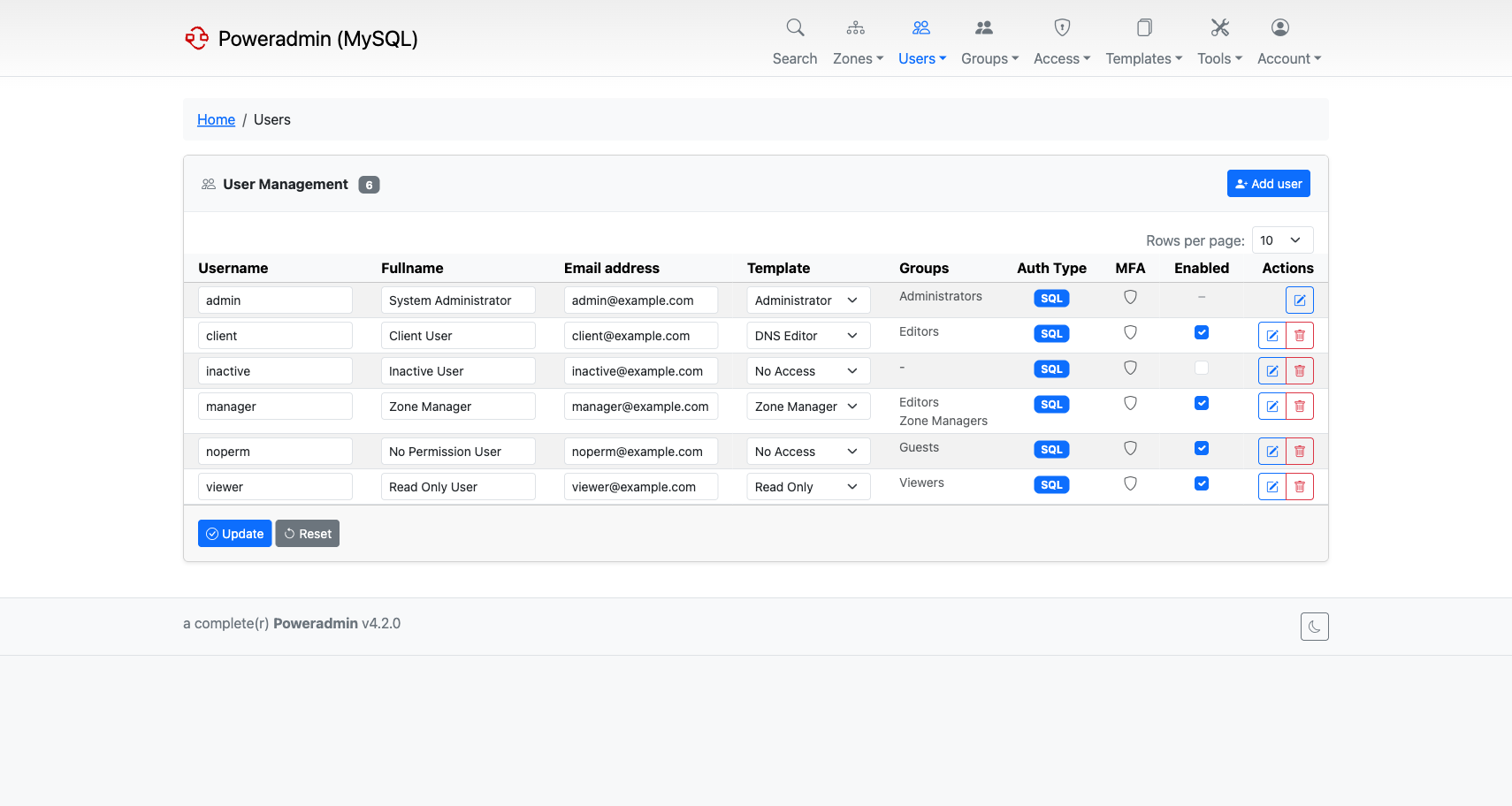
Basics of User Management
Poweradmin implements a permission-based user management system with two primary user levels:
- Uberusers - Users that can do anything within the interface (administrators)
- Limited users - Users with restricted permissions based on assigned templates
From version 4.5.0 the user list carries a filter box that matches on username, full name,
email address and description. The term is kept as you page through the results, and the
count in the page heading reflects the filtered total rather than every user. Users who
lack user_view_others only ever see their own account, filtered or not.
Permission Templates
Permission templates were introduced in version 2.0.0 and are built from a set of individual permissions. Each permission allows users to perform specific actions, such as viewing zone contents, editing zones, or creating supermasters. By adding or removing permissions to a template and assigning that template to users, you can control user access rights.
Understanding Uberuser Status
The user_is_ueberuser permission overrules any other permission the user may or may not have been assigned. It grants
full access to all features that would otherwise require specific permissions. This is typically reserved for
administrators.
Poweradmin keeps at least one active super admin. The last one cannot be deleted or disabled, and the API PATCH
that changes a user's template refuses to take super admin away from them. The user edit form and API PUT apply the
same rule when security.protect_last_admin_on_edit is true (added in 4.5.0, off by default). See
Opt-in Hardening.
From 4.6.0, super admin granted through a group's permission template counts, and these changes are also refused when they would leave no active super admin:
- removing a member from a group
- deleting a group
- changing a group's permission template
- editing a permission template so it no longer grants
user_is_ueberuser
The API answers 409 for each of them. At sign-in, OIDC, SAML and LDAP group and template sync never demotes or
removes the last super admin: it skips that change and logs a warning on every login until another super admin exists.
On 4.5.x only the user's own template counts. 4.5.2 adds the check to deleting a user in the web interface.
Zone Ownership
Ownership is a designation that marks users as "owners" for specific zones. However, ownership alone doesn't grant any
privileges for these zones. The actual abilities are determined by the permissions in the user's assigned template. For
example, if a user owns zones but lacks the zone_content_view_own permission, they won't be able to see those zones.
Zone Limits
Since version 4.6.0 a superuser can cap how many zones a user or a group may own.
- A user counts the zones they own directly. Zones that reach them through a group do not count.
- A group counts the zones assigned to it.
- Superusers are never limited, whatever their limit says.
Set the limit in the Zone limit field on the add and edit forms for users and groups. Leave it
empty to use the default from dns.default_max_zones_per_user or dns.default_max_zones_per_group
(unlimited unless configured). 0 means the user or group may not own any zone. Only superusers
see and change the field, on the web and in the API (max_zones).
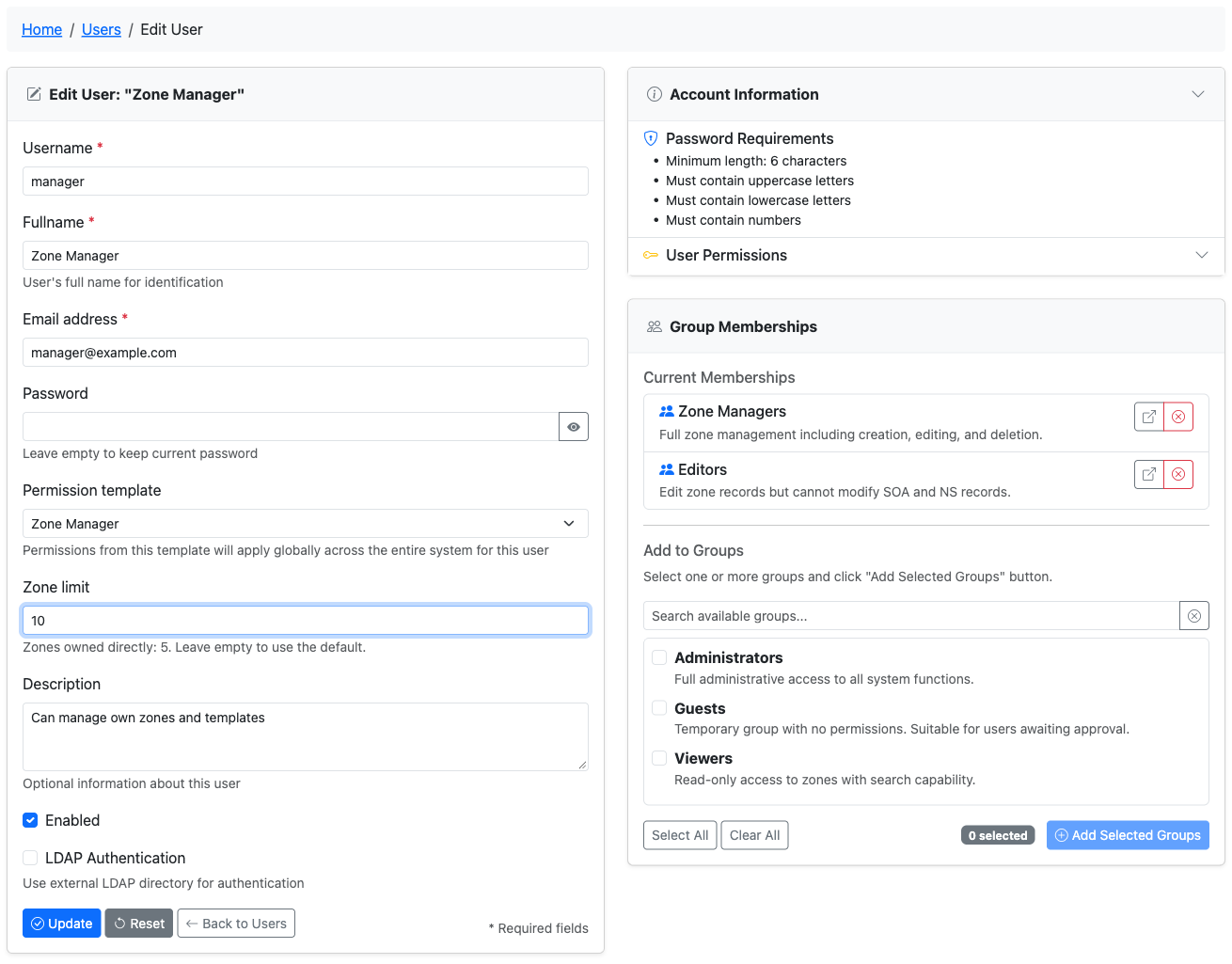
The limit applies to the owner, whoever makes the change. Creating a zone, adding an owner or a group, and moving zones to another user when a user is deleted are refused once the receiving owner would go past the limit; the message names the owner and the numbers, for example "Zone limit reached: alice owns 10 of 10 zones." The API answers 409 with the same text. Concurrent requests are checked one at a time per owner, so two requests at the same moment cannot both take the last free slot.
With dns.adopt_zone_owner_from_account, a zone is only adopted by a user who has room under their
limit. Otherwise the zone sync leaves it without an owner and logs a warning, and the "zones without
owners" repair in the consistency check gives it to the administrator running the repair instead.
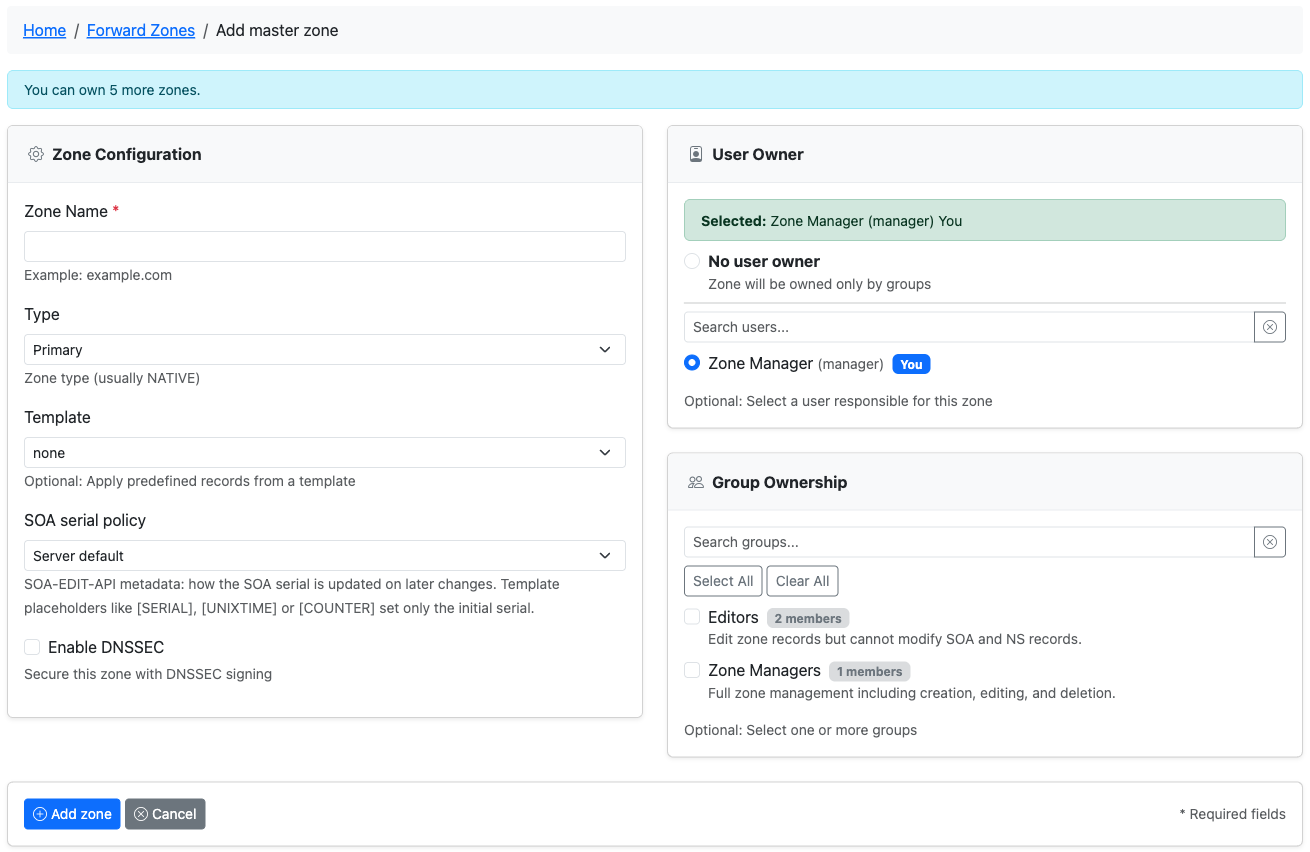
Lowering a limit never removes zones. The user or group keeps what they own and cannot take on
new zones until they are below the limit again; the form warns when you save a limit below the
current count. The add-zone pages show how many more zones the signed-in user may own, and
interface.show_zone_limit_column adds the owned count and limit to the users and groups lists.
Edit Access and Zone Integrity
Poweradmin assumes that users with edit permissions for a zone can be trusted with full access to that zone's contents, because even partial edit access would allow a user to break the zone's functionality.
Deleting a zone is separate. Since version 4.1.0 it has its own permissions, zone_delete_own and
zone_delete_others, checked independently of the edit permissions. A user who can edit a zone cannot delete it unless
one of those is granted as well.
Security Pitfalls
Granting any of these permissions gives a user broad influence over other accounts, so treat them as administrative:
user_edit_templ_permtempl_perm_edituser_add_new
They cannot be used to become an administrator. A user who is not already an administrator cannot put
user_is_ueberuser into a permission template, cannot edit a template that already carries it, and
cannot assign such a template to an account. See
Permissions for the details.
Anyone with root shell access to the server running Poweradmin, or to the PowerDNS database server, effectively has uberuser rights regardless of the permission system.
Additional Information
When configuring user permissions, keep the principle of least privilege in mind - only grant the permissions necessary for a user to perform their required functions.