RDAP Configuration
Overview
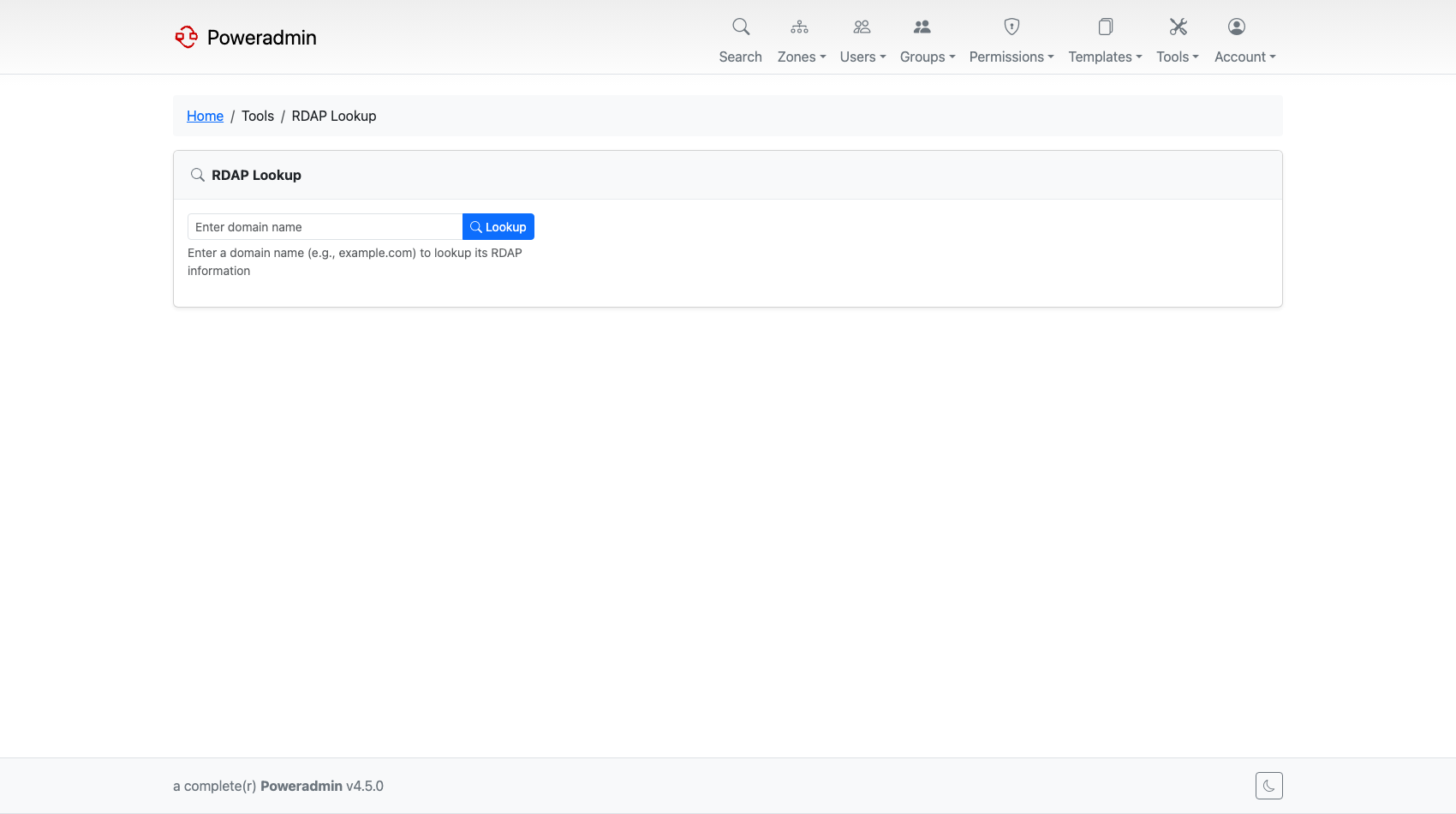
RDAP (Registration Data Access Protocol) is the modern replacement for WHOIS. Poweradmin supports RDAP lookups for domain registration information with structured JSON responses and better internationalization support.
Configuration Options
RDAP settings live under modules.rdap in config/settings.php.
| Setting | Default | Description |
|---|---|---|
modules.rdap.enabled |
false |
Enable RDAP lookup functionality |
modules.rdap.default_server |
'' |
Optional default RDAP server URL (empty to use server from RDAP database) |
modules.rdap.custom_servers |
[] |
Custom TLD-to-server mapping for TLDs not in the built-in database |
modules.rdap.request_timeout |
10 |
HTTP request timeout in seconds for RDAP queries |
modules.rdap.restrict_to_admin |
true |
Only allow administrators (user_is_ueberuser) to use RDAP functionality |
Configuration Example
return [
    'modules' => [
        'rdap' => [
            'enabled' => true,
            'default_server' => '',
            'custom_servers' => [
                'za' => 'https://rdap.example.com/za/',
            ],
            'request_timeout' => 15,
            'restrict_to_admin' => true,
        ],
    ],
];
Custom Server Mapping
The custom_servers option allows you to define RDAP servers for specific TLDs that may not be in the built-in database. Custom servers take priority over the built-in server list.
Docker environment variable:
Lookup priority:
default_server, if set- Custom servers (from
custom_serversconfig) - Built-in RDAP server database
Warning:
default_serveris not a fallback. When it is non-empty it is the only server ever queried, andcustom_serversand the built-in database are never consulted. Leave it empty unless you want every lookup to go to one server.
RDAP vs WHOIS
| Feature | WHOIS | RDAP |
|---|---|---|
| Protocol | Plain text | JSON over HTTPS |
| Security | No encryption | HTTPS encryption |
| Internationalization | Limited | Full Unicode support |
| Machine readable | No | Yes |
| Rate limiting | Basic | Standardized |
| Authentication | None | OAuth2 in the protocol (not implemented in Poweradmin) |
Usage
When enabled, RDAP lookups provide:
- Structured data - JSON responses with consistent formatting
- Enhanced security - HTTPS-based queries
- Better performance - HTTP-based protocol
- Internationalization - Full Unicode domain support
How to Use RDAP Lookup
- Navigate to any zone in Poweradmin
- Click the RDAP button or icon next to the domain name
- View the structured registration data
RDAP Response Data
RDAP returns structured information including:
- Handle: Registry-assigned identifier
- Status: Domain status (active, inactive, etc.)
- Events: Registration, expiration, last update dates
- Entities: Registrant, admin, tech contacts with roles
- Nameservers: Configured DNS servers with their details
- Links: References to related resources
- Remarks: Additional notes from the registry
Choosing Between WHOIS and RDAP
Use RDAP when you need:
- Machine-readable data for automation
- International domain names (IDN)
- Structured contact information
Use WHOIS when you need:
- Quick manual lookups
- Legacy system compatibility
- Simple text output
Supported TLDs
RDAP supports lookups for:
- All major gTLDs (.com, .net, .org, .info, etc.)
- Many ccTLDs with RDAP servers
- New gTLDs with RDAP implementation
Security Features
- Admin restriction - Access limited to administrators by default
- Input validation - Domain names and server URLs are validated before queries
Warning: The URL validator accepts
httpas well ashttps, so a plain-HTTPdefault_serverorcustom_serversentry is queried unencrypted. UsehttpsURLs. Nearly all entries in the built-in server database are HTTPS, but a handful of registries publishhttpendpoints.
Poweradmin does not throttle RDAP queries or handle HTTP 429 responses; each lookup is a single request with a timeout.
Configuration Best Practices
Production Environment
'rdap' => [
    'enabled' => true,
    'default_server' => '', // Use automatic server detection
    'request_timeout' => 30, // Longer timeout for reliability
    'restrict_to_admin' => true,
],
Development Environment
'rdap' => [
    'enabled' => true,
    'default_server' => 'https://rdap.verisign.com/com/v1/',
    'request_timeout' => 10,
    'restrict_to_admin' => false, // Allow all users for testing
],
RDAP Server List
The TLD-to-server mapping ships with Poweradmin as a static list generated from the IANA RDAP bootstrap registry. It is loaded from disk when the module starts.
- Nothing queries IANA at runtime, so a lookup for a TLD missing from the list simply fails
- The list is refreshed between releases; use
custom_serversto add or override an entry in the meantime - There is no fallback from a failed lookup to
default_server
Performance Considerations
- Timeout tuning:
request_timeoutbalances reliability against a blocked interface - No caching: every lookup performs a fresh HTTP request; responses are not stored
- Error handling: a failed RDAP lookup returns an error. There is no automatic fallback to WHOIS, run a WHOIS lookup separately if needed