DNS Wizards
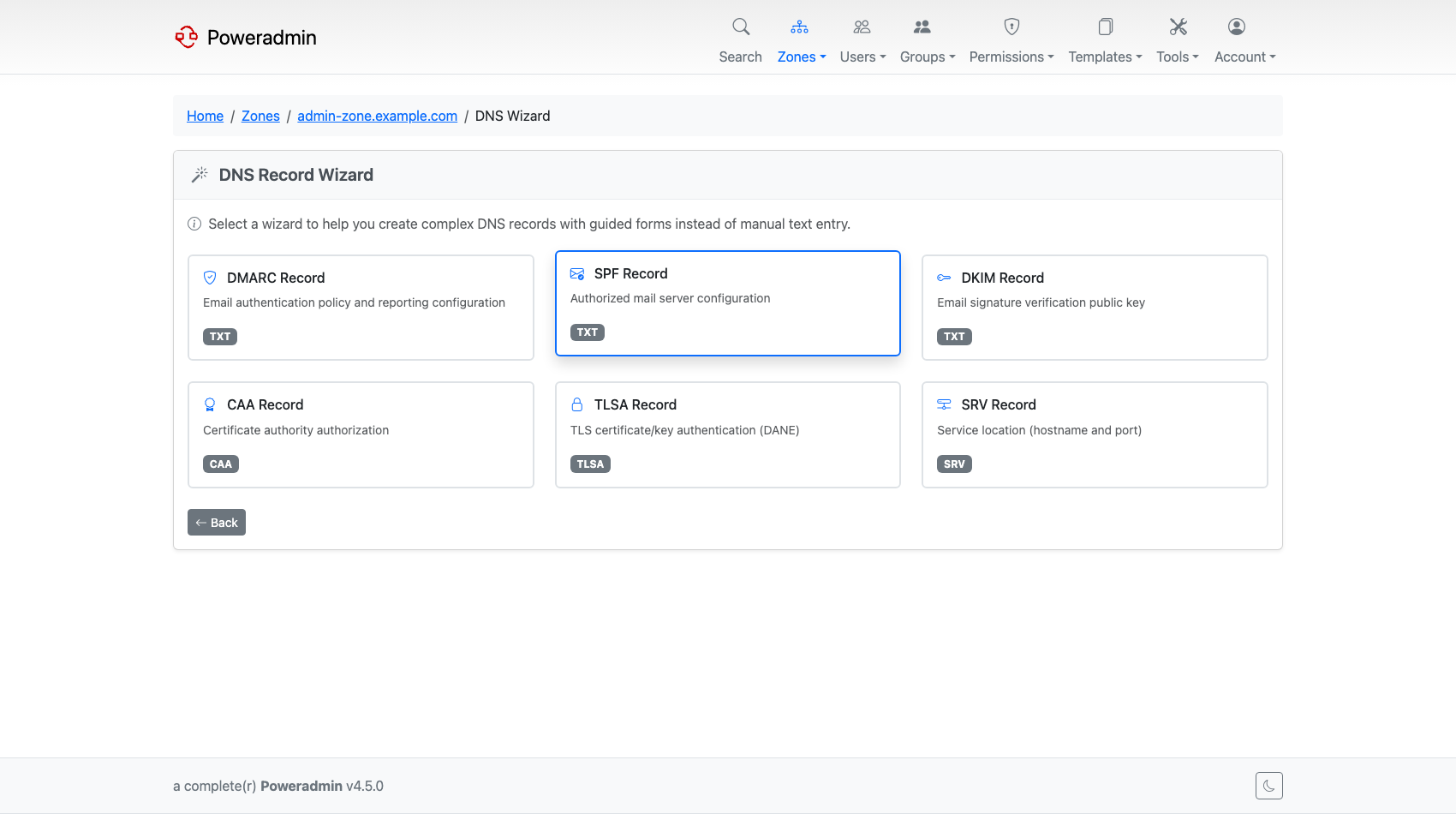
DNS Wizards provide a guided interface for creating complex DNS records. Instead of manually constructing record content, wizards walk you through the required fields and generate properly formatted records.
Added in version 4.1.0
Configuration Options
DNS wizard settings live under modules.dns_wizards.
| Setting | Default | Description |
|---|---|---|
modules.dns_wizards.enabled |
false |
Enable DNS record wizards |
modules.dns_wizards.available_types |
['DMARC', 'SPF', 'DKIM', 'CAA', 'TLSA', 'SRV'] |
Which wizard types to show |
modules.dns_wizards.caa_providers |
(see below) | Certificate Authority providers for CAA wizard |
Enabling Wizards
To enable DNS wizards, add the following to your config/settings.php:
Available Wizard Types
| Type | Description |
|---|---|
| DMARC | Domain-based Message Authentication, Reporting & Conformance |
| SPF | Sender Policy Framework for email authentication |
| DKIM | DomainKeys Identified Mail selector records |
| CAA | Certificate Authority Authorization |
| TLSA | DANE TLSA records for TLS certificate pinning |
| SRV | Service location records |
You can limit which wizards are available:
'modules' => [
    'dns_wizards' => [
        'enabled' => true,
        'available_types' => ['SPF', 'DMARC', 'CAA'],  // Only show these wizards
    ],
],
CAA Provider Configuration
The CAA wizard includes a list of common Certificate Authorities. You can customize this list:
'modules' => [
    'dns_wizards' => [
        'enabled' => true,
        'caa_providers' => [
            'letsencrypt.org' => "Let's Encrypt",
            'digicert.com' => 'DigiCert',
            'sectigo.com' => 'Sectigo (Comodo)',
            // Add your preferred CAs
        ],
    ],
],
Default CAA Providers
The following providers are included by default:
| Domain | Provider |
|---|---|
| letsencrypt.org | Let's Encrypt |
| digicert.com | DigiCert |
| sectigo.com | Sectigo (Comodo) |
| comodoca.com | Sectigo (legacy domain) |
| awstrust.com | Amazon Trust Services |
| amazontrust.com | Amazon Trust Services (alt) |
| amazonaws.com | AWS Certificate Manager |
| pki.goog | Google Trust Services |
| cloudflare.com | Cloudflare |
| godaddy.com | GoDaddy |
| globalsign.com | GlobalSign |
| entrust.com | Entrust |
| entrust.net | Entrust (legacy) |
| ssl.com | SSL.com |
| buypass.com | Buypass |
| usertrust.com | USERTrust (Sectigo) |
| ; | Disallow all CAs (no issuance permitted) |
Note: the last entry writes a literal
;as the CAA value. Per RFC 8659 that means no certificate authority is authorised to issue for the name. Only pick it if you intend to block issuance.
Full Configuration Example
'modules' => [
    'dns_wizards' => [
        'enabled' => true,
        'available_types' => ['DMARC', 'SPF', 'DKIM', 'CAA', 'TLSA', 'SRV'],
        'caa_providers' => [
            'letsencrypt.org' => "Let's Encrypt",
            'digicert.com' => 'DigiCert',
            'sectigo.com' => 'Sectigo (Comodo)',
            'pki.goog' => 'Google Trust Services',
            // Add custom CAs as needed
        ],
    ],
],
Docker Configuration
To enable DNS wizards in Docker, set the environment variable:
To customize available wizard types: