Bulk and Batch Operations
Poweradmin has three separate features for adding records or zones in bulk. Pick the one that matches what you are creating.
| Feature | Use when | UI entry |
|---|---|---|
| Bulk Record Add | Adding many records of different types into one existing zone | Zone editor → Bulk add |
| Batch PTR Records | Generating PTR records for a whole IPv4 or IPv6 subnet | Forward zone editor → Generate PTR, or top nav |
| Bulk Zone Registration | Creating multiple zones in one step | Zones menu → Bulk Registration |
Bulk Record Add
Adds multiple records of any supported type into a single existing zone, parsed from CSV-style input.
Route: /zones/{id}/records/bulk (the Bulk add button on the zone editor).
Format
One record per line:
- name - hostname relative to the zone, or
@for the zone apex - type - any supported record type (A, AAAA, CNAME, MX, TXT, SRV, ...)
- content - the record value
- priority - for MX/SRV; ignored for record types that have no priority
- ttl - optional; falls back to the zone or system default
- disabled -
YesorNo(matches CSV export from the zone editor) - comment - free-text comment
Examples
www,A,192.168.1.1
www,AAAA,2001:db8::1
www2,CNAME,www.example.com.
@,MX,mail.example.com.,10
_acme,TXT,"verification=12345"
@,TXT,"v=spf1 mx a ip4:192.168.0.0/24 ~all"
_sip._tcp,SRV,"0 5060 sip.example.com.",0,3600
_sip._tcp,SRV,sip.example.com.,0,5060,3600
SRV has its own parser and does not follow the generic column order above. The first SRV line is the normal form (name,SRV,"weight port target",priority,ttl, matching CSV export); the second is the legacy form (name,SRV,target,weight,port,ttl), which the in-app help also labels legacy.
Tips
- Quote any value that contains a comma or spaces.
- For CNAME, MX, SRV: end the target with a trailing dot.
- There is no validation pre-pass and no rollback. Lines are processed one at a time, valid ones are written immediately, and only the failing lines are listed back on the form with a warning.
- Records exported from a zone via CSV export can be re-imported with this form, but delete the header row first -
Name,Type,Content,...is parsed as a record and rejected with "Invalid record type". The data rows import as they are.
Batch PTR Records
Generates PTR records for every address in an IPv4 or IPv6 prefix in a single operation, optionally creating matching A/AAAA forward records.
Route: /zones/batch-ptr (the Generate PTR button on any forward zone, or Zones → Batch PTR Records in the top nav).
Full walkthrough with form fields, IPv4 and IPv6 examples, and permission requirements is on the Reverse DNS (PTR Records) Guide page.
Bulk Zone Registration
Creates many zones at once from a list of domain names. All zones get the same type, optional template, and ownership assignment.
Route: /zones/bulk-registration (Zones menu → Bulk Registration).
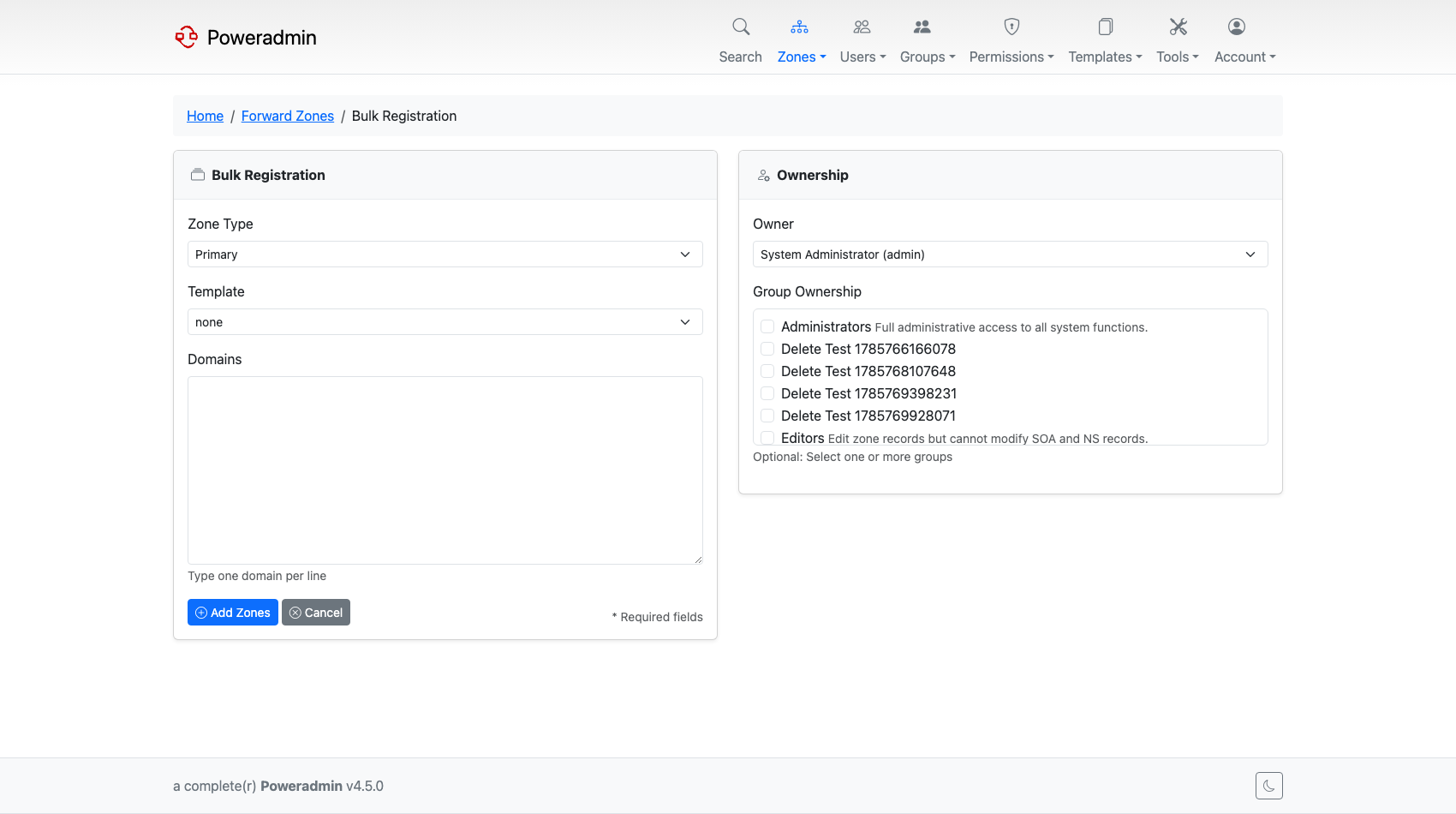
Form fields
- Zone names - one domain per line (e.g.
example.com,example.net, ...) - Zone type -
MASTERorNATIVE - Zone template - optional; pre-populates SOA, NS, and any template records
- Owner - user and/or group, subject to the
dns.zone_ownership_modesetting (see Zone Management → Restricting Ownership Assignment)
Tips
- Use a zone template to keep SOA and NS records consistent across all zones being registered.
- Zones that already exist in PowerDNS are reported and skipped; the rest of the batch still proceeds.
- For reverse zones, enter the in-addr.arpa / ip6.arpa names directly (e.g.
1.168.192.in-addr.arpa).
Permissions
All three features respect the standard permission model:
- Bulk Record Add requires
zone_content_edit_own(on an owned zone) orzone_content_edit_others. - Batch PTR Records requires the
add_reverse_recordfeature flag and the same edit permissions as Bulk Record Add. - Bulk Zone Registration requires
zone_master_add(and respectsdns.zone_ownership_mode).
See Permissions for the full list of permission constants and how to assign them through permission templates.