Views and Networks
Available since v4.4.0.
PowerDNS 5.0 can answer the same query differently depending on which network the client came from - the feature usually called split-horizon DNS. Poweradmin exposes two pages for it: Views, which assigns zone variants to a view, and Networks, which maps client networks to views.
Note: PowerDNS documents Views as an experimental feature. Expect the behaviour and configuration to change between releases.
Requirements
Views have more prerequisites than most features, and three of them are on the PowerDNS side rather than in Poweradmin:
| Requirement | Detail |
|---|---|
| PowerDNS 5.0 or newer | Older servers make the page report "Views require PowerDNS 5.0 or newer" instead of rendering |
| The LMDB backend | Views are an LMDB-only feature. The generic SQL backends (gmysql, gpgsql, gsqlite3) do not implement them |
views=yes in pdns.conf |
The setting is off by default, even on LMDB |
| The zone cache enabled | zone-cache-refresh-interval must be non-zero. It defaults to 300, so this only bites if you have explicitly set it to 0 |
| Poweradmin's API backend | dns.backend must be api; see PowerDNS API |
| Superuser | Both pages are superuser-only |
The backend requirement is the one that catches people out. Running PowerDNS 5.1 on gmysql
looks like it should work, because the version is new enough and listing views returns an
empty list rather than an error. Every attempt to change one is then rejected. pdnsutil
says so plainly:
You get the same message on LMDB when views=yes is missing, so check both before
concluding the backend is wrong.
Since v4.5.0 Poweradmin checks this for you. It reads the server's launch and views
settings over the API, keeps both pages and their dashboard entries hidden when they cannot
work, and names the missing prerequisite if you open the page directly. On PowerDNS 4.x, or
when the server version cannot be read at all, the pages are hidden - Views need 5.0. Only an
unreadable launch or views setting on a 5.0 or newer server leaves them visible, since an
unread setting is a poor reason to hide a feature that may well work.
A minimal PowerDNS configuration for views:
launch=lmdb
lmdb-filename=/var/lib/powerdns/pdns.lmdb
views=yes
api=yes
api-key=your-api-key
webserver=yes
How the two pieces fit together
- You create a zone variant in PowerDNS, named
zone..variant, for exampleexample.com..trusted. The variant is a separate zone with its own records. - On the Views page you assign that variant to a view name, for example
trusted. - On the Networks page you map a CIDR block, for example
10.0.0.0/8, to the same view.
A resolver querying from 10.1.2.3 then gets the records from example.com..trusted, while
everyone else gets the plain example.com.
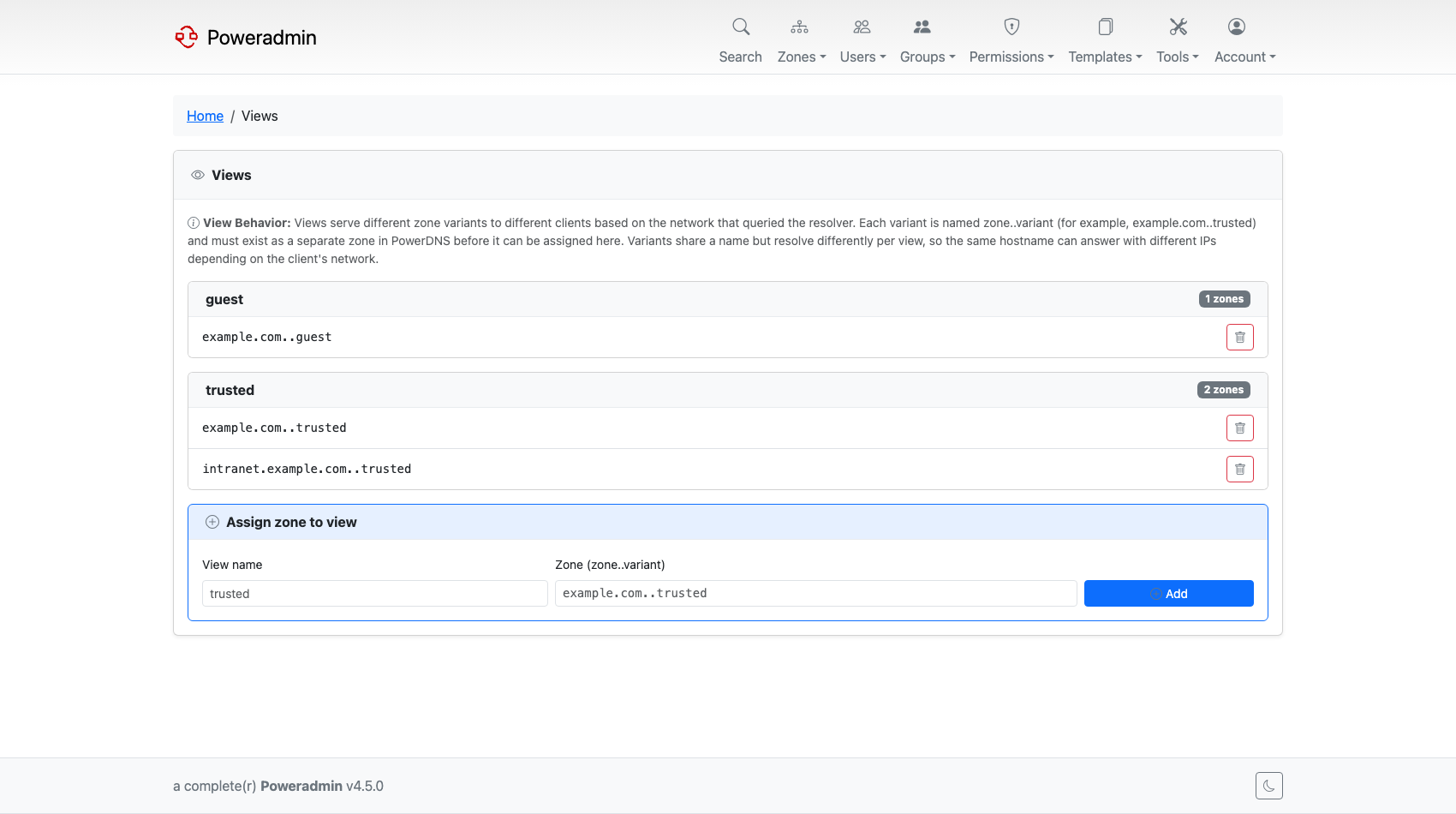
Views
The Views page is at /views. It lists each view with the zone variants assigned to it, and
a form to add another.
Two things to know:
- The variant zone must already exist in PowerDNS. Poweradmin assigns an existing zone
to a view; it does not create the variant for you. Create it with
pdnsutil:
- View names accept letters, digits, dots, underscores and hyphens. Anything else is
rejected. PowerDNS itself also permits spaces, so a view created with a space through
pdnsutilcannot be managed from Poweradmin.
To assign a zone, enter the view name (trusted) and the full variant zone name
(example.com..trusted). Removing an assignment takes the zone back out of the view; it does
not delete the zone.
Networks
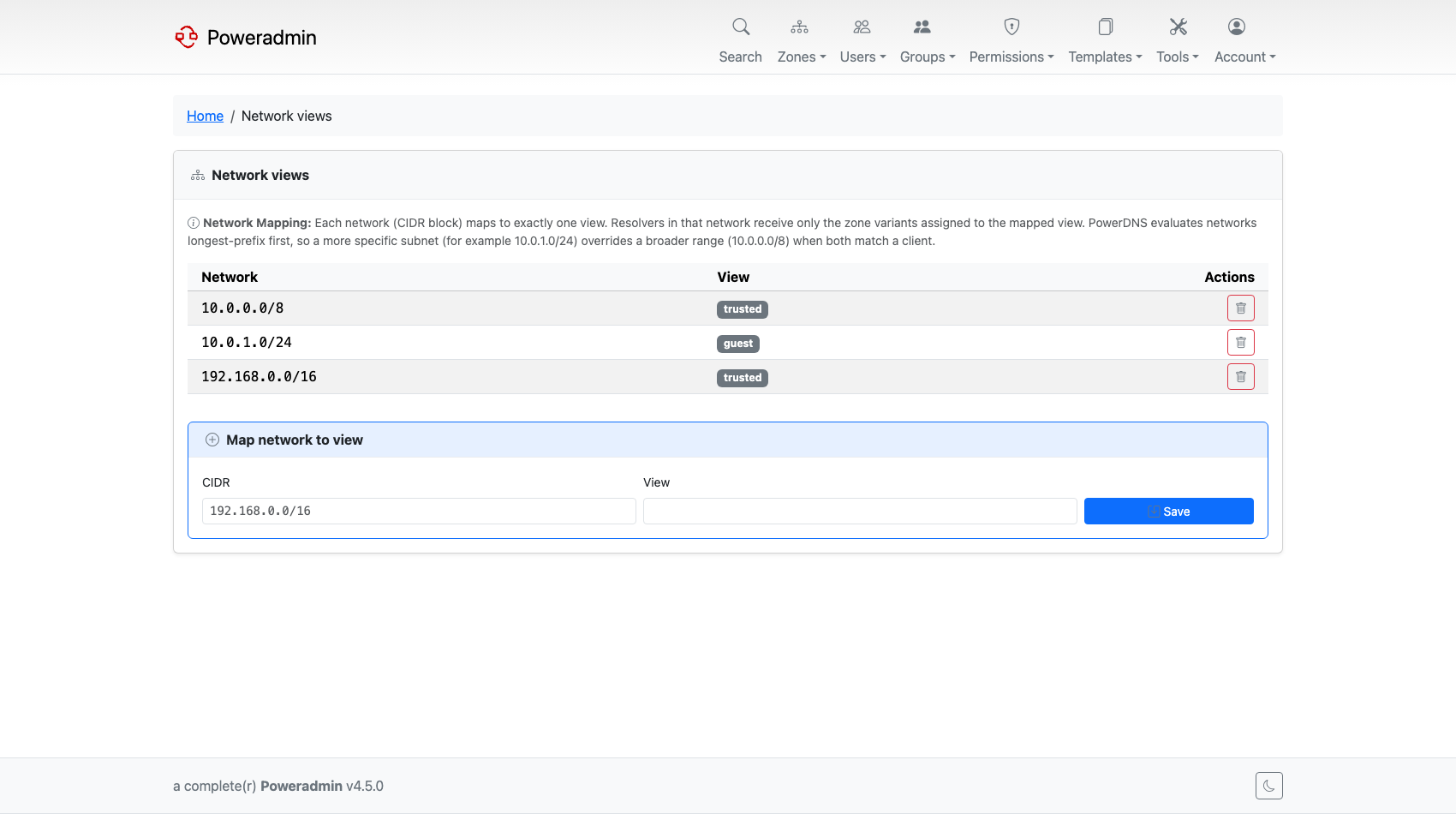
The Networks page is at /networks. Each network maps to exactly one view. A resolver in that
network sees the zone variants assigned to the view; zones with no variant in it are still
served normally, as their variantless contents.
PowerDNS evaluates networks longest-prefix first. A more specific subnet wins over a
broader one, so 10.0.1.0/24 mapped to office overrides 10.0.0.0/8 mapped to internal
for a client at 10.0.1.5.
To add a mapping, enter the CIDR (192.168.0.0/16) and the view name (trusted).
Related pages
- PowerDNS API - enabling the API backend
- Zone Management - creating the variant zones themselves