DNS Templates
DNS templates in Poweradmin allow you to create standardized sets of DNS records that can be applied to multiple zones, streamlining zone management and ensuring consistency across domains.
Template Management
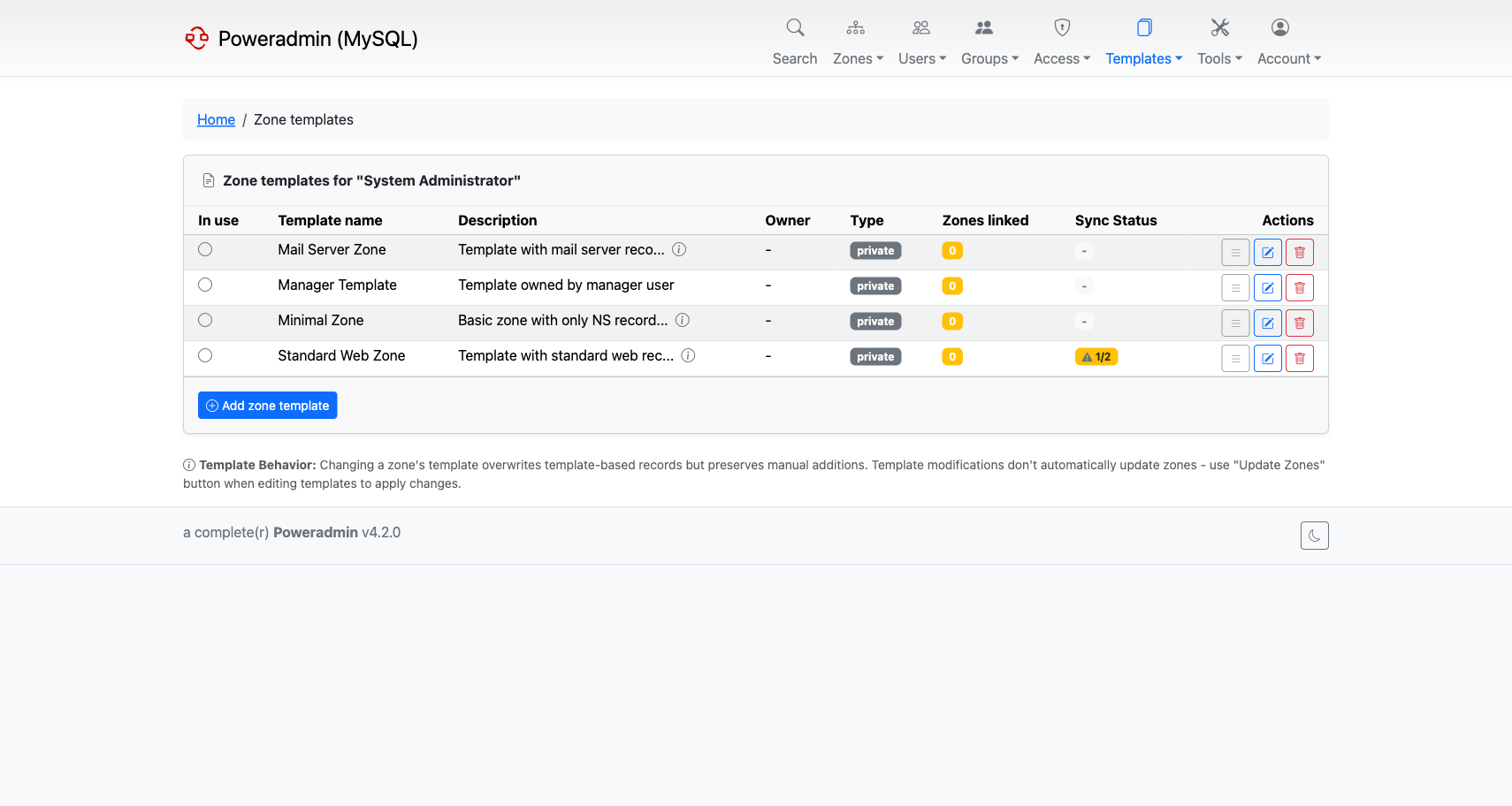
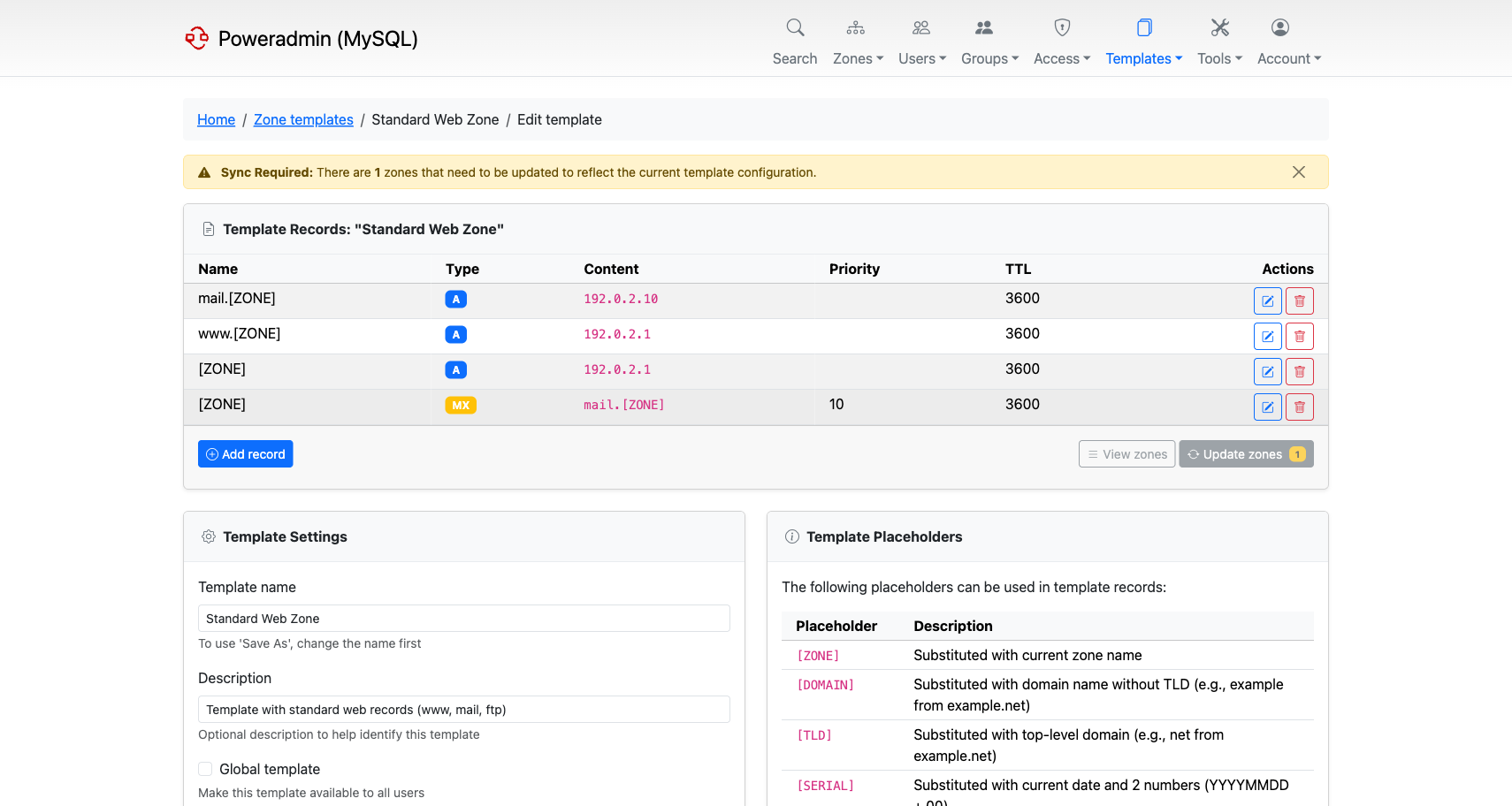
Templates are managed through the Poweradmin interface and stored in the database. Each template can contain multiple DNS records of various types (A, CNAME, MX, etc.) that will be applied when the template is used.
Templates support placeholders that are automatically substituted:
[ZONE]- replaced with the actual domain name[DOMAIN]- replaced with the registrable label of the zone, soexampleforexample.com.pl[TLD]- replaced with the public suffix of the zone, socom.plforexample.com.pl[SERIAL]- replaced with current date + sequence (YYYYMMDD00)[UNIXTIME]- replaced with the current UNIX timestamp[COUNTER]- replaced with 1, the starting value for a simple incremental serial[NS1],[NS2], etc. - replaced with configured nameservers[HOSTMASTER]- replaced with configured hostmaster email
[DOMAIN] and [TLD] are split on the public suffix boundary using the IANA list, so a zone under a multi-label suffix such as co.uk or com.pl divides where registration actually happens rather than on the last dot.
The serial placeholders ([SERIAL], [UNIXTIME], [COUNTER]) control the initial SOA serial of a zone created from the template; later record changes increment the serial automatically. When Poweradmin runs against the PowerDNS API backend, the SOA-EDIT-API zone metadata governs how subsequent serials are generated - it can be chosen per zone on the add-zone form or on the zone metadata page (EPOCH pairs with [UNIXTIME], INCREASE with [COUNTER]), with defaults from dns.soa_edit_api.
Record validation
Available since v4.2.6, v4.3.5, v4.4.1 and v4.5.0.
Template records are checked against the validator for their record type when you add or edit
them, on the web form and on the API v2 endpoints. Earlier releases stored template records
without any type checking, so a template written before the upgrade may hold a record that the
validator now rejects when you next save it. A failed check returns 400 over the API with the
validator message.
Two points to know before editing an older template:
- MX and SRV priority belongs in the priority field, not in the content. Write
mail.[ZONE]with priority10, not10 mail.[ZONE]. This is the most common reason an existing template record stops saving. - Placeholders are resolved against a sample zone before validation, so a record is judged on whether it could be valid, not against this install's nameserver configuration.
The check is deliberately lenient in three places, so the following are not bugs:
- A short SOA rdata is completed with default timers for the check.
- An unquoted TXT value is quoted for the check only, and stored exactly as you typed it.
- A record containing a placeholder Poweradmin does not recognise is stored without checking.
Existing template records are only validated when saved. Applying a template to a zone, viewing it, and deleting a record are unaffected.
Saving an existing zone as a template
Available since v4.2.0.
Rather than building a template record by record, you can turn a zone you already have into
one. On the zone editor, Save as Template (/zones/{id}/save-template) asks for a
template name and description, then copies the zone's records into a new template.
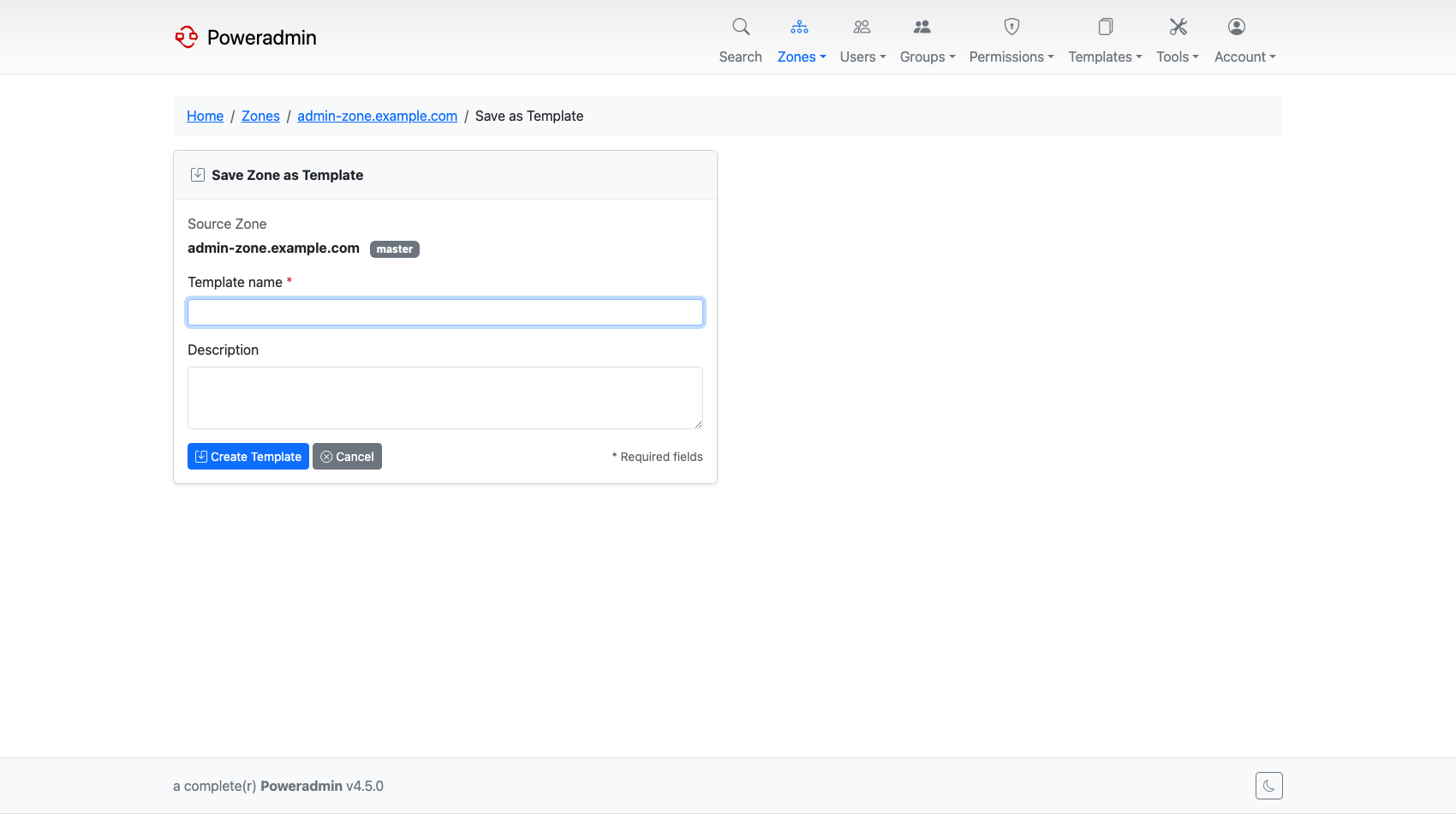
The copy is not literal. The zone's own name is replaced with [ZONE], and the configured
nameserver and hostmaster values are replaced with [NS1] and [HOSTMASTER], so the
template applies cleanly to any other zone.
Two behaviours to expect:
- Record types you are not allowed to add are left out, and the page tells you which ones were skipped. A user who can read a zone containing record types their permissions do not cover still gets a usable template from the rest.
- A default SOA record is added if the source zone had none.
This is the quickest way to capture a house standard: build one zone the way you want every zone to look, then save it as the template for the rest.
It requires the same rights as creating a template by hand - the zone_templ_add permission,
or superuser.
Zone Template Application
When Changing a Zone's Template
When you change a zone's template on the edit page:
- Only template-generated records are overwritten - the system specifically deletes records that were originally created from templates
- Manual records are completely preserved - any records you added manually remain untouched
- Changes are immediate - template application happens instantly when you save the change
- SOA records are handled specially - existing serial numbers are preserved and incremented appropriately
How Poweradmin Tracks Template Records
Poweradmin maintains a database table (records_zone_templ) that tracks which DNS records were created from templates. This allows the system to:
- Identify which records can be safely replaced during template updates
- Preserve manually added records during template changes
- Maintain the relationship between zones and their source templates
Template Synchronization
Manual Updates Only
Important: Zones do NOT automatically update when templates are modified. This is by design to give administrators explicit control over when changes are applied.
Methods to Apply Template Changes
Individual Zone Update:
- Go to Edit Zone page
- Pick a different template in the template dropdown
- Click Change
Re-selecting the template the zone already uses does nothing - the form compares the selection against the current template and skips the refresh when they match. To re-apply the same template, use the bulk update below.
Bulk Zone Update:
- Go to Edit Template page
- Click "Update Zones" button
- This updates ALL zones currently using that template
Sync Indicators
Poweradmin shows which zones are out of sync with their template:
- The Zone templates list has a sync column per template: a warning badge with the
unsynced/totalcount, or a green Synced badge when every linked zone is up to date. - The template editor shows a Sync Required banner with the number of zones needing an update, and repeats that count as a badge on the Update zones button.
The zones themselves are still only updated when you ask for it.
Permissions
Zone Template Operations
Different template operations require different permissions:
- Creating zone templates: Requires
zone_templ_addpermission - Listing zone templates: Requires
zone_templ_addORzone_templ_editORuser_is_ueberuserpermission - Editing/deleting zone templates: Requires
user_is_ueberuserOR (zone_templ_editAND template ownership) - Adding/editing/deleting template records: Requires
user_is_ueberuserOR (zone_templ_editAND template ownership)
Applying Templates to Zones
- Creating zones with templates: Requires
zone_master_addpermission. A template can only be chosen on the Add master zone form and in bulk registration; the slave zone form offers no template. - Changing existing zone templates: Requires zone editing permissions (
zone_content_edit_ownfor owned zones orzone_content_edit_othersfor other zones) andzone_master_addorzone_slave_add. The editing permission only authorises removing the old template's records; writing the new template's records needs one of the add permissions. A user with editing rights alone ends up with the old records gone and no replacements. - Unlinking zones from templates: Requires
user_is_ueberuserOR zone editing permissions (zone_content_edit_own/zone_content_edit_othersORzone_meta_edit_own/zone_meta_edit_others)
Permission Templates
Poweradmin also supports permission templates (different from zone templates):
- Adding permission templates: Requires
templ_perm_addpermission - Editing permission templates: Requires
templ_perm_editpermission - Deleting permission templates: Requires
user_edit_templ_permpermission
None of these permissions allows granting administrator rights: a non-administrator
cannot add user_is_ueberuser to a template, nor edit a template that already has it.
See Permissions.
Default Zone Template
A global zone template can be marked as the default. The marked template is pre-selected on the Add master zone form (instead of "none") and shown with a "(default)" suffix in the dropdown, so users know which template will be applied if they don't change the selection.
Setting the default from the UI
On the Zone templates list, ueberusers see a star button next to each global template:
- An outline star icon - "Set as default": flags this template as the default. Any previously flagged template is cleared in the same operation.
- A filled star icon - "Unset as default": clears the flag.
A blue "default" badge marks the active row.
Only global templates (Type: global in the list) can be marked default. If a template is later converted to private, the default flag is cleared automatically so it cannot become an orphan.
Setting the default via configuration
If you cannot mark a default through the UI, set dns.default_zone_template in config/settings.php. The value is either the template id or its name:
'dns' => [
    'default_zone_template' => 'Standard',  // by name
    // 'default_zone_template' => 7,        // or by id
],
The DB-backed default (set via the UI) takes precedence over the config setting; the config setting is the fallback when no template is flagged in the database.
When the configured template is the active default but no row carries the DB flag, the list view shows a "default (config)" badge - a hint that the value comes from settings.php and cannot be cleared from the UI.
Edge cases
- If the configured name resolves to multiple global templates (template names are not strictly unique in the database), the setting is ignored and a warning is logged. Either rename one of the duplicates or use the template id.
- If the configured template no longer exists, the form silently falls back to "none" and a warning is logged. Update or remove the setting to clear the warning.
- Personal templates cannot be the default. Setting
dns.default_zone_templateto a private template id has no effect.
Configuration
Template display in zone listings can be controlled via the interface.display_template_in_zone_list setting in your configuration file.
The default zone template is configured via dns.default_zone_template (see Default Zone Template above).
See Also
- Permissions - For detailed permission requirements
- Basic Configuration - For template-related settings