Secondary Zone Import (AXFR)
Available since v4.5.0. Requires the PowerDNS API backend.
Secondary zone import pulls a zone off a live primary server and turns it into a zone you manage locally. It is the migration path for taking over a domain that is currently hosted somewhere else: point Poweradmin at the old primary, let PowerDNS transfer the records over AXFR, then convert the result to a primary zone.
This differs from Zone Import/Export, which reads a BIND zone file you upload. Here nothing is uploaded - the records come from the remote server over the wire.
Enabling the module
The module is off by default:
It also requires dns.backend set to api. PowerDNS itself performs the transfer, so
without the API backend the module hides completely - no route, no menu item. See
PowerDNS API.
Users need the zone_slave_add permission to see the page.
Importing a zone
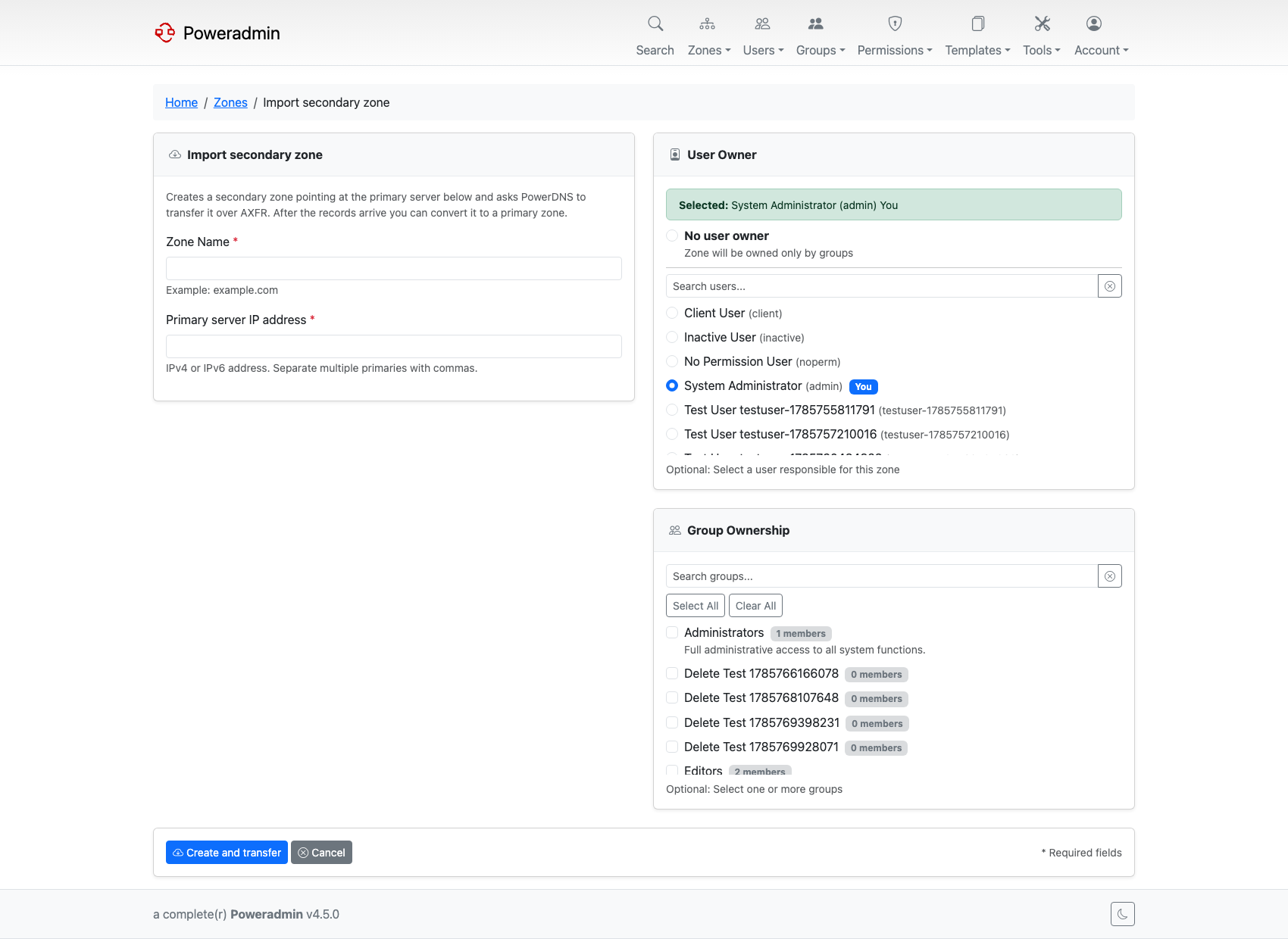
Open Import secondary zone from the Zones menu, at /zones/import-secondary, and fill
in:
- Zone name - the domain to pull, for example
example.com. - Primary server IP address - IPv4 or IPv6. Separate several primaries with commas.
- Owner - a user, a group, or both, following your zone ownership mode. At least one owner is required; submitting neither is rejected.
Poweradmin creates a secondary zone pointing at that primary and asks PowerDNS to transfer it immediately. The page then polls the transfer and tells you how many records have arrived.
Two outcomes are normal:
- The transfer was accepted. Records appear within seconds and the page reports that the zone is ready to convert.
- The transfer request was not accepted. Usually the primary refuses AXFR from your server's address. The zone still exists as a secondary, and PowerDNS retries on its own refresh schedule, so fixing the ACL on the primary is enough - you do not need to start over.
If nothing has arrived by the time the poll gives up, reload the page to check again rather than re-importing.
Converting to a primary zone
Once the records are in, Convert to primary zone keeps everything that was transferred and stops Poweradmin from treating the zone as a replica. From that point the zone is editable like any other, and the old primary is no longer consulted.
Until you convert, the zone is a secondary and its records are read-only - Poweradmin blocks edits to replicated zones across the UI, the API and DDNS.
Typical migration
- On the old primary, allow AXFR from your PowerDNS server's IP.
- Import the zone here and confirm the record count looks right.
- Convert it to a primary zone.
- Repoint the delegation at your nameservers.
- Remove the AXFR allowance on the old primary.
Related pages
- PowerDNS API - the required backend
- Zone Import/Export - importing from a BIND file
- Zone Management - secondary zones and read-only records